
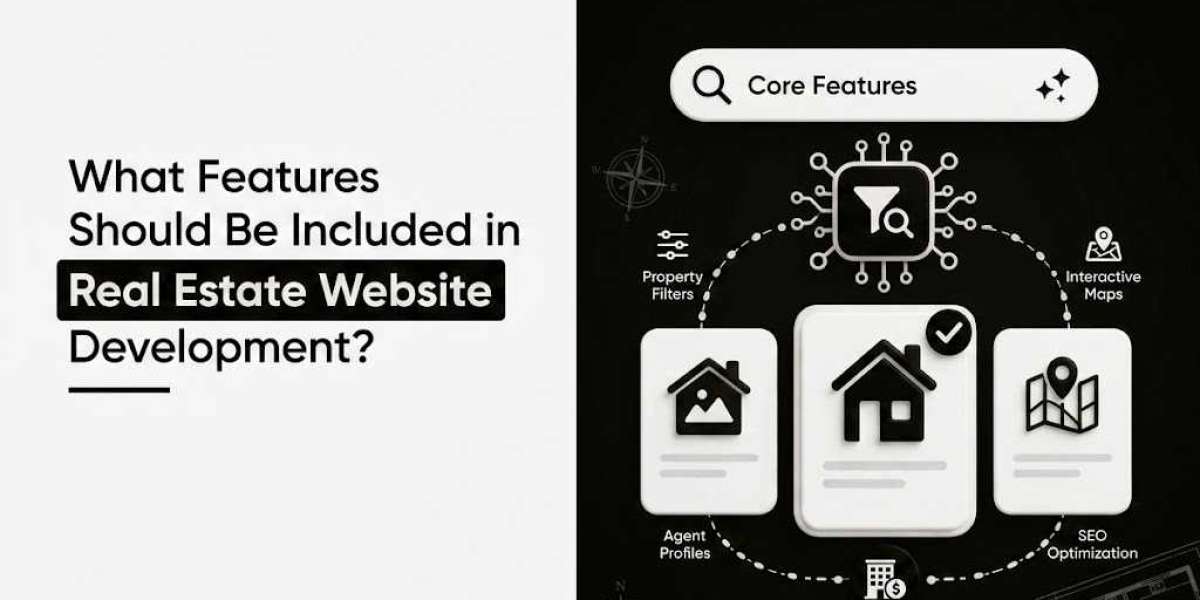
Building a real estate website that actually converts visitors into clients means focusing on what buyers, sellers, and agents actually need. A lot of real estate website development out there look pretty but don't help people find homes or contact agents easily. Let's walk through the features that make a real estate site work.
Property Search and Filtering
Advanced Search Capabilities
Your visitors should be able to find exactly what they're looking for without clicking through dozens of results. A solid search function lets people filter by location, price range, property type, bedrooms, bathrooms, and square footage. But that's just the baseline.
Smart filtering also means including neighborhood details, school districts, and distance from amenities. If someone's moving to town for a specific job, they might search for properties within 30 minutes of that location. Make it easy for them. The more specific your search options are, the better chance you have of keeping people on your site longer.
Map-Based Searching
People often think geographically when looking for property. A map view showing available listings helps visitors understand neighborhood layouts and property density in areas they're considering. Interactive maps with price points marked make it simple to compare different neighborhoods at a glance.
High-Quality Property Listings
Professional Photography and Virtual Tours
A listing without decent photos is basically dead. People need to see what they're buying. Multiple high-resolution photos from different angles aren't luxury anymore—they're expected.
But photos alone aren't cutting it these days. Virtual tours let potential buyers walk through a home from their couch. Some buyers travel from out of state and want to see places before flying in. A 3D walkthrough or 360-degree tour saves everyone time and helps serious buyers move forward faster.
Detailed Property Information
Every listing needs comprehensive details: square footage, lot size, year built, property taxes, homeowners association fees, and any special features. Sellers want their homes represented accurately, and buyers want all the information upfront.
Don't forget about the history. Including details about recent renovations, updated systems, and upgrades helps buyers understand what they're getting. If the roof was replaced five years ago or the kitchen was redone last year, that matters.
Comparable Sales and Market Analysis
Buyers and sellers both want to understand pricing. Showing comparable recently-sold properties in the same area helps people figure out if a listing is priced reasonably. Include how long homes stay on the market and price trends for the neighborhood.
Lead Capture and Agent Contact
Simple Contact Forms
This is where website visitors become actual leads. Your contact forms need to be straightforward—not asking for more information than necessary. Phone number, email, and message are often enough. You can ask for more details after you've connected.
Some visitors don't want to submit a form. Offer multiple ways to get in touch: a contact button, live chat, direct phone number, and email address. Different people prefer different channels.
Mortgage Calculator
Buyers need to know if they can afford a property. A mortgage calculator showing monthly payments based on purchase price, down payment, and interest rate helps people self-qualify. Include options for different loan terms so they can see how a 15-year versus 30-year mortgage changes their payment.
Property Inquiry and Viewing Requests
Make it easy for interested buyers to request a showing. A simple form directly on the listing page asking for preferred viewing times saves everyone back-and-forth emails. Agents can confirm availability quickly and move appointments to their calendar.
User Experience and Navigation
Mobile-Friendly Design
Most people searching for real estate are on their phones. Your website has to work perfectly on mobile devices, from photo viewing to filling out forms. A slow, clunky mobile experience sends visitors straight to your competitors' sites.
Mobile design means easy scrolling, fast loading times, and readable text without pinching and zooming. Touch-friendly buttons and forms matter more than you'd think.
Simple Navigation Structure
Visitors should find what they need in three clicks or fewer. Your main categories—buy, sell, search, about us, contact—need to be obvious. Don't bury important information behind confusing menu systems.
Clear Call-to-Action Buttons
Make it obvious what you want visitors to do next. "Schedule a Showing," "Get a Free Home Valuation," "Contact an Agent"—these should stand out visually. Use contrasting colors and place them where people naturally look.
Seller Resources and Tools
Home Valuation Tools
Homeowners considering selling want to know what their place is worth. An automated valuation tool (AVM) gives them a ballpark estimate immediately. While it won't replace a professional appraisal, it's a starting point that keeps potential sellers engaged.
Selling Guides and Resources
Selling a home involves a lot of decisions. Helpful content about preparing your home for sale, staging tips, and what to expect in the selling process builds trust. Agents look good when they're providing useful information, not just asking for listings.
Before and After Galleries
Showing how other homes have been renovated or staged helps sellers understand the value of preparation. Before-and-after photos of homes that sold quickly and for good prices are powerful motivators.
Neighborhood and Community Information
Detailed Neighborhood Guides
Buyers don't just want a house—they want a community that fits their lifestyle. Include information about local schools, restaurants, shops, parks, and public transportation. Crime statistics, community events, and local culture matter to people making a big move.
School Information and Ratings
For families with kids, schools are often the deciding factor. Link to school ratings, test scores, and information. Some sites partner with third-party education databases to keep information current.
Local Market Statistics
Showing neighborhood trends, average price per square foot, days on market, and price appreciation helps buyers and sellers understand the local landscape. People want data to back up real estate decisions.
Agent and Team Information
Agent Profiles and Contact Information
Each agent needs a professional profile with their photo, background, specialties, and contact information. Client reviews or testimonials help build credibility. People want to know who they're working with and what other clients thought about their experience.
Search by Agent Feature
Some visitors might want to work with a specific agent. An agent directory or search function lets people find their preferred professional directly.
Site Performance and Security
Fast Loading Times
People leave slow websites. Optimize images, use clean code, and work with a hosting provider that delivers speed. Every second of delay costs you visitors and leads.
HTTPS and Data Security
Real estate websites collect personal information. People need to trust that their data is secure. SSL certificates and secure payment processing aren't optional.
Mobile Responsiveness Testing
Your site should look and function perfectly on phones, tablets, and desktops. Test on different devices and browsers to catch issues before visitors find them.
Analytics and Tracking
User Behavior Tracking
Understanding how visitors navigate your site helps you improve it. Which listings get the most views? Where do people abandon the process? This data guides decisions about layout and features.
Conversion Tracking
Know which pages lead to contact form submissions and phone calls. Track which listings generate the most interest. This information helps agents and agencies understand what's working.
Final Thoughts
A successful real estate website doesn't need every feature under the sun. It needs the features that your specific audience wants. Start with solid property listings, easy searching, simple contact options, and fast performance. Add features based on what your visitors and agents actually use.
The best real estate websites feel smooth and intuitive because someone thought carefully about how people search for homes and connect with agents. Build with your users in mind, keep things simple, and update frequently. That's how you build a site that converts visitors into clients.


